

Last Updated on 2026-08-11 by amiraezz
Disclosure: CoreRated is reader-supported. CoreRated earns an affiliate commission when you click through and buy services CoreRated recommends. This comes at no extra cost to you and helps keep the CoreRated site running. Prices and features can change over time. Always check the official Kinsta website for the most current plans and promotions. This review is based on publicly available vendor information and industry documentation.
Table of Contents
Welcome to our comprehensive Kinsta review for 2026. If you are wondering if this premium Google Cloud-powered host is worth the high price tag, you are in the right place.
Quick Verdict: The Kinsta Review Summary
Kinsta is positioned at the top tier of the managed hosting market. Unlike competitors that offer infrastructure choice (Cloudways) or proprietary stacks (WP Engine), Kinsta builds its platform exclusively on Google Cloud Platform (GCP) infrastructure.
Based on publicly documented infrastructure specifications, Kinsta positions itself as a high-capability hosting platform for businesses and agencies requiring scalable architecture, modular scalability, and an SLA-backed uptime guarantee of 99.9% for standard plans, with higher uptime commitments available for enterprise environments—a level of reliability usually reserved for high-traffic corporate environments.
| Why Choose Kinsta | Why You Might Pass |
| – You require Google Cloud C2/C3D infrastructure and value a standard 99.9% uptime service level agreement (SLA). – You value unlimited expert-led migrations and 14-day automated backup retention as part of a hands-off hosting experience. | You are looking for a budget host (under $20/mo) or need built-in email hosting. |

For a comparison with other popular hosts, see our Best WordPress Hosting Review.
Pricing Model Insight
Kinsta positions itself in the premium managed WordPress hosting tier, with pricing reflecting its use of Google Cloud infrastructure and managed services.
Kinsta Review: at a Glance
Pros
- ✓ Google Cloud C2/C3D infrastructure
- ✓ Expert engineer support
- ✓ Built-in CDN and edge caching
Cons
- ✗ High starting price
- ✗ No email hosting
Comparison with Top Alternatives
Kinsta’s value proposition has shifted. While their base price remains higher, they have reduced costs associated with traffic spikes by slashing overage fees.
| Feature | Kinsta (Single 35k) | WP Engine (Startup Plan) | Cloudways (DO Standard $11) |
| *Starting Price (Monthly) | $35.00 | $30.00 | $11.00 |
| Hosting Infrastructure | 100% Google Cloud | AWS / GCP Choice | Multi-Cloud Choice |
| Included Traffic | 35,000 | 25,000 | 1 TB Bandwidth |
| Traffic Overage Policy | $0.50 / 1k visits (after plan limit) | $2.00 / 1K visits (after plan limit) | Pay-As-You-Go Scaling |
Kinsta Review Pros: Top-Tier Infrastructure & Support
Exclusive Google Cloud C2 & C3D Infrastructure
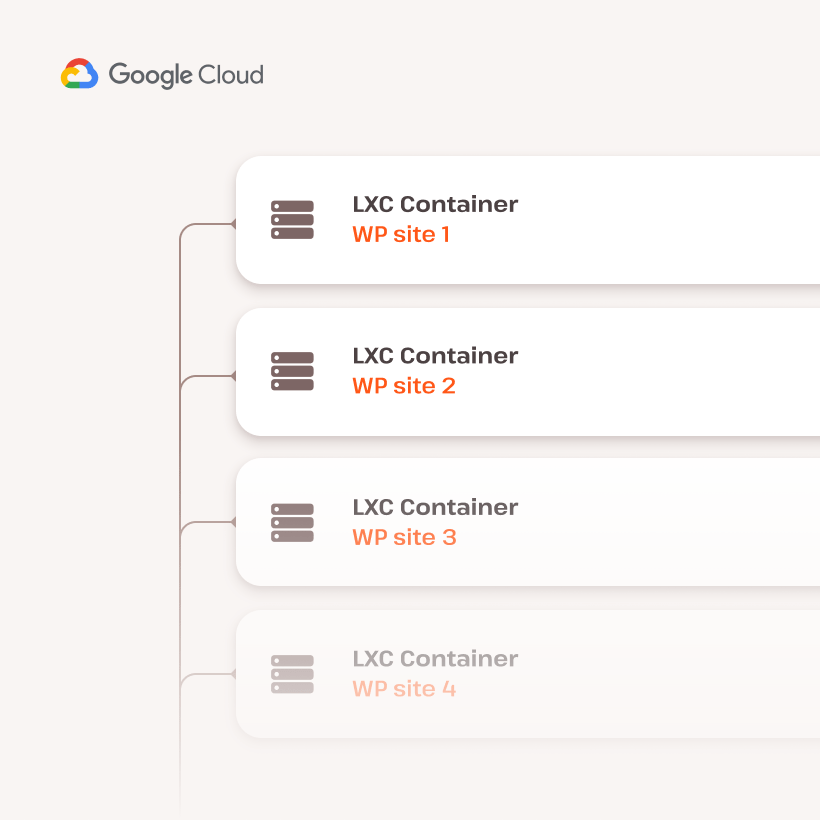
Kinsta builds exclusively on the high-performance tier of Google Cloud Platform (GCP). Kinsta deploys WordPress sites on Google Cloud infrastructure using high-performance compute resources designed for demanding workloads across 35+ global data centers.
Unlike “shared” cloud environments, Kinsta uses isolated software containers for every site, ensuring your resources are never impacted by other users. This is paired with proactive uptime monitoring every 3 minutes across all plans, where according to Kinsta documentation, the platform monitors site uptime every 3 minutes (approximately 480 checks per day) to catch and fix errors before you even notice them. Additionally, the entry-level Single 35k plan now includes 125GB of free CDN bandwidth—powered by Cloudflare’s 300+ global locations—ensuring fast asset delivery without immediate overage concerns.
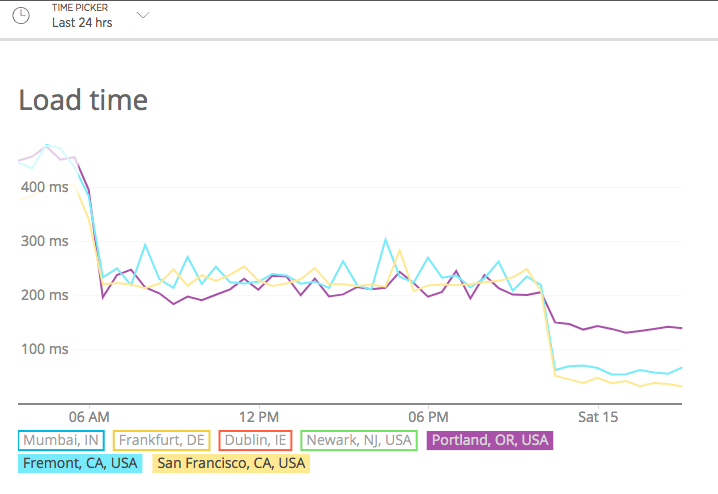
Expert-Only, Single-Tiered Support
Kinsta distinguishes itself by eliminating “Level 1” support, connecting users directly with engineers. You don’t talk to generalists; every chat is handled by a Linux engineer or WordPress developer.
Proactive Monitoring
Kinsta checks site status every 3 minutes (480x/day).
Hack Fix Guarante
If your site is compromised, Kinsta cleans it for free.
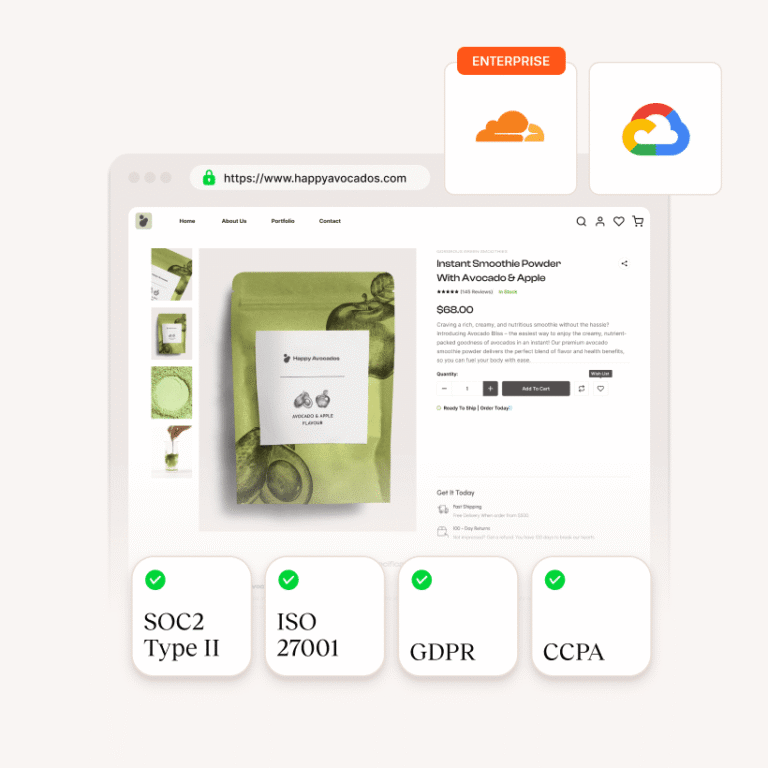
Highly Capable Developer and Agency Toolset
Kinsta invests heavily in workflow tools that streamline the development and testing process, making it a favorite for agencies and freelancers.
One-Click Staging & Selective Push
Easily create an exact copy of your live site for testing. Unlike the “all-or-nothing” approach of cheaper hosts, Kinsta’s Selective Push allows you to move only specific files or even individual database tables to live. This is a critical safety net for e-commerce sites where you want to push a new design but keep today’s customer orders intact.
Free APM Tool
Kinsta provides its own Application Performance Monitoring (APM) tool for free on all plans. It allows you to drill down into PHP and MySQL processes to identify exactly which plugin or script is causing a slowdown, eliminating the need for expensive third-party tools like New Relic.
DevKinsta (Local Development)
This free local suite allows you to build sites offline. Once ready, you can push them directly to a Kinsta Staging environment with one click. Note: For safety, DevKinsta does not allow direct pushes to Live
environments, requiring a final staging-to-live verification.
Premium Staging Add-on ($20/mo)
For high-traffic sites or heavy resource testing, Kinsta now offers a Premium Staging environment. This provides 12 CPUs and 8GB of RAM, ensuring your test environment perfectly mirrors the power of your production server.
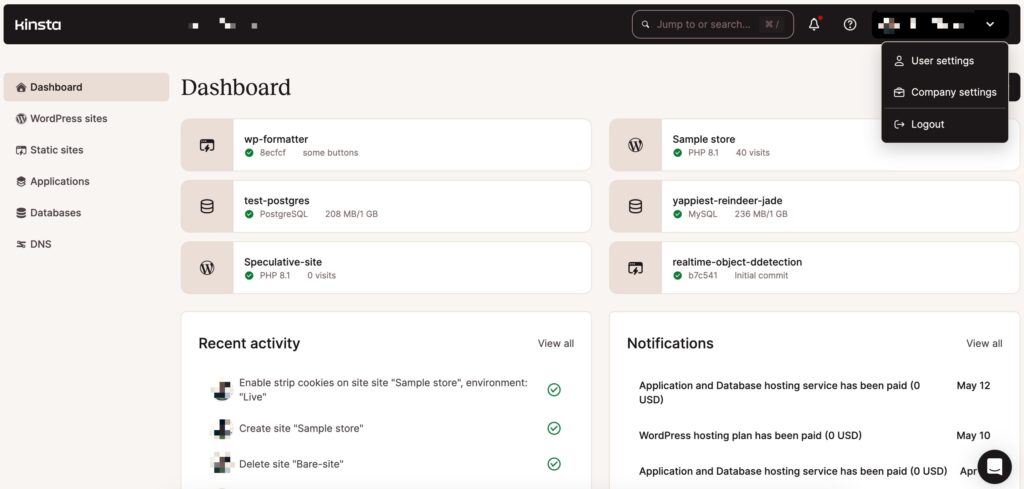
Onboarding Process & Security Features
Kinsta simplifies the migration process by offering unlimited free migrations on all plans. Unlike competitors that rely on automated migration plugins, Kinsta’s engineers handle the move for you to ensure zero downtime. Once live, your data is protected by automated daily backups (retained for 14 days), allowing for one-click restoration if a plugin update breaks your site.
Kinsta Review Cons: High Price and Strict Resource Limits
To provide an honest Kinsta Review, we must acknowledge that its premium position comes with specific trade-offs in cost and flexibility.
High Entry Cost & “Visit” Guardrails
Kinsta is not designed for budget hosting. While its infrastructure is elite, the pricing model requires active monitoring.
The Premium Entry
The Single 35k plan starts at $35/month ($30 if paid annually), which is significantly higher than entry-level alternatives.
Forgiving Overages
While Kinsta has made its overages ‘forgiving’ at $0.50 per 1,000 visits, competitors like WP Engine still charge $2.00 per 1,000 visits. For a site that accidentally goes 10,000 visits over its limit, Kinsta would charge you $5, whereas WP Engine would charge you $20.
Billing Choice
To avoid “Visitor” counting issues caused by bots, Kinsta now allows you to choose Bandwidth-based billing (e.g., 20GB/month) instead of visit-based billing.
PHP Thread Management (The Performance Shift)
A major technical pain point was previously the “Fixed” nature of PHP Workers.
The New Reality
Kinsta has replaced “Fixed Workers” with a PHP Performance Add-on (starting at $10/mo) to increase memory without a full plan upgrade. You can now use a slider in the MyKinsta dashboard to increase your PHP memory pool or add more threads (workers) without upgrading your entire hosting plan.
The Impact
This makes Kinsta much more viable for high-volume WooCommerce stores that only need extra power during seasonal sales like Black Friday.
Intentional Lack of Standard Features
To maintain a high-performance environment, Kinsta excludes some common “extra” services:
No Email Hosting
You must use a third-party provider like Google Workspace or Zoho.
Modernized “Banned” List
While caching and non-incremental backup plugins are still restricted, Kinsta has updated its compatibility. High-quality tools like UpdraftPlus and WP Rocket are now allowed or integrated into their stack.
No Root Access
As a fully managed platform, you do not have root-level server access, which may limit users requiring custom server-side software.
Infrastructure Check & Video Review
To provide a final, objective view of Kinsta’s premium offering, CoreRated analyzed a technical review by WP Cupid Blog. This analysis confirms why Kinsta’s “limitations” actually lead to industry-leading stability.
Key Performance Takeaways
Load Performance
In live tests, a fully functional WordPress site on Kinsta clocked an average load time of 892ms [01:21].
Performance Factors
Kinsta’s speed is attributed to a combination of Google Cloud C2 machines, Cloudflare edge caching, and server-level caching that eliminates the need for third-party caching plugins [01:52].
Security as a Standard
Unlike hosts that upsell security, Kinsta includes enterprise-level Distributed Denial-of-Service attack (DDoS) protection, a free Hack Fix Guarantee, and isolated site architecture where one compromised site cannot affect others on the same account [02:57].
Dashboard & Usability
The MyKinsta dashboard replaces the dated C-Panel with a custom, WordPress-centric interface.
One-Click Tools
Uers can instantly create staging environments, manage redirects, and view deep analytics without needing a developer [02:20].
Expert-Level Support
Kinsta promotes its support team as WordPress specialists available 24/7 through live chat. [03:23].
Final Verdict from the Review
Kinsta isn’t for hobbyists looking for the cheapest price; it is a “set it and forget it” platform for agencies, WooCommerce stores, and high-traffic businesses that cannot afford a second of downtime [05:01].
Final Verdict of our 2026 Kinsta Review: Is It Worth the Premium Price?
CoreRated’s thorough Kinsta review confirms that Kinsta is one of the highest-capability managed WordPress hosts available today. The platform is not trying to win on price; it is designed to win on infrastructure, architecture, and developer support.
If a website is the primary engine of a business—handling high traffic, running a dynamic e-commerce store, or requiring verified low server response times for global SEO advantage—then Kinsta is worth the investment. It eliminates technical risk and provides an enterprise-level foundation from its entry-level plan upward.

Kinsta vs. The Competition: A Final Summary
The comparison table highlights the core trade-off when choosing Kinsta:
| Metric | Kinsta | WP Engine | Cloudways |
| Why it Costs More | 100% Google Cloud Premium Tier and single-tier expert support. | High-value ecosystem (Genesis Themes included). | You pay only for the bare cloud infrastructure and management layer. |
| The Overage Risk | Low ($0.50 per 1k visits). | High ($2.00 per 1k visits). | Minimal (Pay-as-you-go scaling). |
| Performance Risk | Minimal (Modular PHP add-ons allow for scaling without full plan upgrades). | Proprietary stack can be rigit for certain custom setups. | Requires more manual configuration to optimize for peak load. |
Ultimately, Kinsta’s value lies in its simplicity of excellence. Users pay more for the certainty of being on top-tier cloud infrastructure and knowing that any issue will be handled by a highly specialized WordPress developer, rather than generalist support staff.
CoreRated Final Recommendation
Who Should Buy Kinsta?
To wrap up this Kinsta review, we recommend this host specifically for.
Established Businesses and Agencies
For those managing client sites or relying on high-capability, secure performance, the stability of Kinsta’s architecture provides essential peace of mind.
High-Traffic Sites
Sites exceeding 35,000 monthly visits benefit from the global content delivery network (CDN) and Google Cloud backbone.
Developer
Those who require the free Application performance monitoring (APM) tool, DevKinsta, and the powerful, custom-built MyKinsta dashboard for fine-tuning performance.
Who Should Look Elsewhere?
Budget Users
If the budget is under $30 per month, a host like Cloudways (DigitalOcean) or SiteGround is a better fit until traffic necessitates a premium
solution.
Sites Needing Email Hosting
Users who require built-in email must budget for a third-party solution like Google Workspace or Zoho Mail.
Kinsta is a strategic investment in reliability. It is the highest-value choice for those ready to prioritize infrastructure and expert support over a lower monthly bill.

FAQ: Common Questions About This Kinsta Review
Who should consider Kinsta hosting?
As detailed in the Kinsta Review, this host is the ideal choice for high-traffic businesses, agencies, and WooCommerce stores that require the stability of Google Cloud and cannot afford downtime.
Does Kinsta offer email hosting?
No. A key finding in this Kinsta Review is that Kinsta focuses 100% on website infrastructure. A separate service like Google Workspace is required for email.
Is Kinsta worth the high price?
Yes, if infrastructure is the priority. The CoreRated analysis confirms that the premium price covers the Google Cloud C2/C3D machines, Enterprise Distributed Denial-of-Service (DDoS) protection, and expert engineering support that budget hosts do not provide.
Compare Kinsta with Other Managed WordPress Hosts
If you’re still evaluating options, CoreRated provides detailed comparisons between Kinsta and other managed hosting platforms.
Read next:
Best WordPress hosting comparison
Audit Sources & References
To maintain transparency, CoreRated provides the direct sources for the technical data used in this review. All data was verified as of December 2025.
- Official Pricing & Plans: Kinsta Managed WordPress Pricing — Single 35k plan with 125GB CDN bandwidth and first month free promotion.
- Service Level Agreement: Kinsta SLA & Uptime Guarantee — Details the 99.9% uptime guarantee.
- PHP Performance & Threading: Kinsta Documentation: PHP Performance Add-on — Source for the $10/mo modular thread scaling and memory pool allocation.
- Edge Caching & CDN: Kinsta CDN Feature Overview — Details on the 300+ PoP Cloudflare integration and HTTP/3 support.
- Application Performance Monitoring (APM): Kinsta APM Tool Guide — Documentation on the built-in, free debugging suite for PHP and MySQL.
- Billing Metric Flexibility: Kinsta Changelog: Visit vs. Bandwidth Choice — Official record of the November 2025 update allowing users to toggle between visit-based or bandwidth-based billing.
- Overage Schedule: Kinsta Docs: Overages — Confirms the reduced $0.50 per 1,000 visits fee for 2025.
- Infrastructure Review: WP Cupid Blog Performance Test — Independent verification of 892ms load times and Google Cloud C2/C3D deployment.
- Migration Policy: Kinsta Free Migrations — Confirms unlimited free migrations from all hosts are now standard on all plans.
- Backup Retention: Kinsta Backup Docs — 14-day retention for Single 35k/WP 2 plans; 30-day retention for Enterprise.