

Last Updated on:
Disclosure: CoreRated uses affiliate links. If you sign up through them, we may earn a commission at no extra cost to you. This helps support the site.
Kinsta Review Quick Verdict (Simple Summary)
| Good fit if | Maybe not ideal if |
| – You prefer a pre-optimized environment instead of manual server tuning – You want managed migrations handled by the provider – Predictable uptime commitments matter for your project | – You need ultra-low budget hosting (under $20/month) – You require built-in email hosting |
*Opens the official website
Kinsta is a premium managed WordPress hosting provider built entirely on Google Cloud infrastructure.
Instead of offering multiple server types, it focuses on a single high-performance setup designed for stability and predictable performance.
In practical terms, this means fewer configuration choices but a more consistent environment — which can be useful for businesses that prefer reliability over experimentation.
Kinsta advertises a 99.9% uptime guarantee on standard plans, with higher uptime levels available on enterprise plans. As with any Service Level Agreement (SLA), this refers to service availability commitments rather than guaranteed performance for every website.
To understand how resources are separated between websites, hosting providers often use isolated environments.
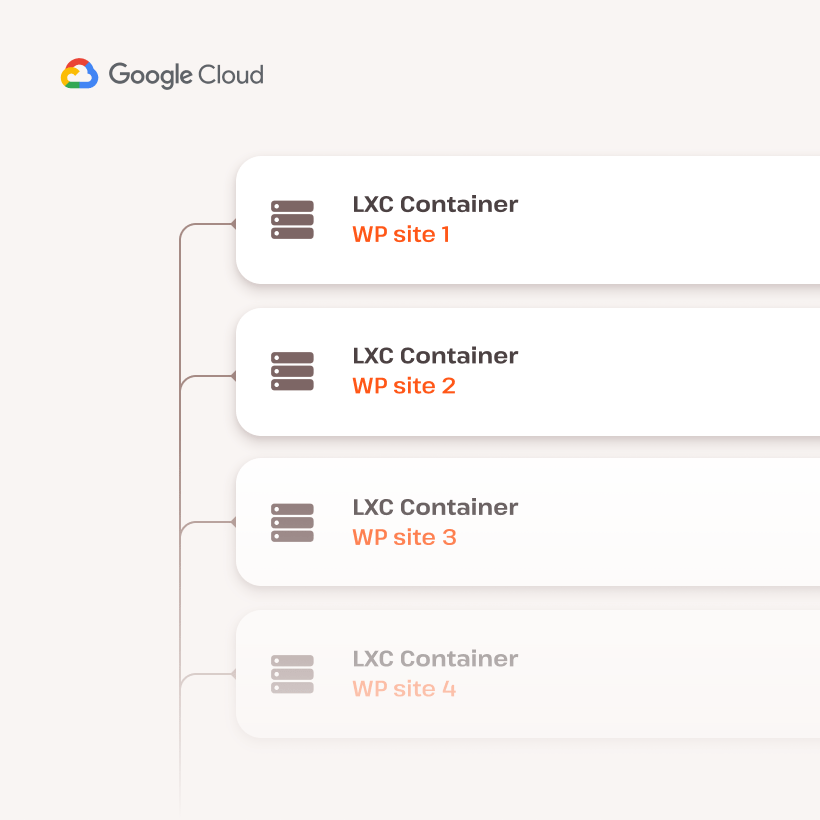
The illustration above shows the general concept of container isolation, where each website operates independently rather than sharing the same runtime environment.
Affiliate Program Note
Kinsta offers an affiliate program that pays a one-time commission plus a recurring percentage for referred customers.
This does not affect how services are described on CoreRated, but readers should be aware that commissions exist.
Position in the Market
Kinsta is typically priced higher than entry-level managed WordPress hosting providers.
However, the pricing model includes fewer traffic surge penalties compared to some traditional plans that charge steep overage fees.
The practical impact depends on traffic stability — consistent traffic keeps costs predictable, while sudden spikes may increase the monthly bill.
Trying the Service
Kinsta offers a 30-day money-back period according to the provider’s terms.
You should always review the official conditions before subscribing.

Kinsta Review: Comparison with Top Alternatives
The following comparison summarizes publicly listed plan details at the time of writing.
Hosting providers update pricing and limits frequently, so always verify the latest information on the official website before making a decision.
Kinsta generally targets the premium segment, while other providers offer more flexible entry pricing or infrastructure choices.
The differences below mainly affect cost predictability rather than raw performance.
This section of the Kinsta Review compares typical plan structures with alternative hosting models.
| Feature | Kinsta (Single) | WP Engine (Startup) | Cloudways (DO Premium) |
|---|---|---|---|
| Starting Price* | ~$35 | ~$30 | ~$11–14 |
| Traffic Model | Visit allowance | Visit allowance | Resource-based usage |
| Infrastructure | Google Cloud only | Multi-provider options | Multi-cloud |
| Overage Policy | Per-visit fee after limit | Per-visit fee after limit | Pay-as-you-go resources |
*Plan limits and pricing are based on publicly listed information and may change. Always verify details on the provider website.
Should you consider Kinsta?
Suitable if you run a business website or client projects and prefer a managed environment.
Less suitable if keeping the monthly cost as low as possible is your main priority.
You can also read our managed hosting comparison guide.
Kinsta Review Pros: Infrastructure & Support Overview
Google Cloud-Based Infrastructure
Kinsta runs its hosting platform on Google Cloud infrastructure and uses isolated containers for each website.
In simple terms, every site operates in its own environment instead of sharing the same system resources with other users.
According to Kinsta’s published documentation, uptime is automatically monitored multiple times per minute, and the platform is designed to restart services when problems are detected.
The service also integrates with Cloudflare’s network for caching and security features, which can help improve content delivery speed depending on visitor location.
Performance Monitoring Example
Some providers publish monitoring examples to demonstrate response consistency across regions.
The dashboard and monitoring charts shown below illustrate how hosting platforms typically track uptime and response times across multiple locations.
They represent monitoring visibility rather than guaranteed performance for every website.
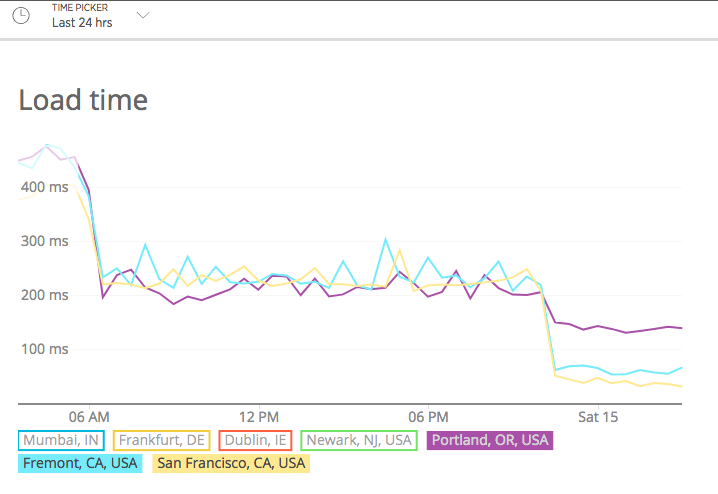
This type of monitoring graph represents uptime tracking visibility rather than guaranteed loading speed for every website.
Support Structure
Kinsta states that support requests are handled by technical specialists rather than a traditional multi-tier help desk system.
This means users typically communicate with staff familiar with WordPress and server configuration instead of general customer service agents.
Support is provided through live chat and is available continuously according to the provider’s documentation.
The practical experience may still vary depending on the complexity of the issue.
Hosting platforms may integrate security standards and edge network protections as part of their infrastructure design.
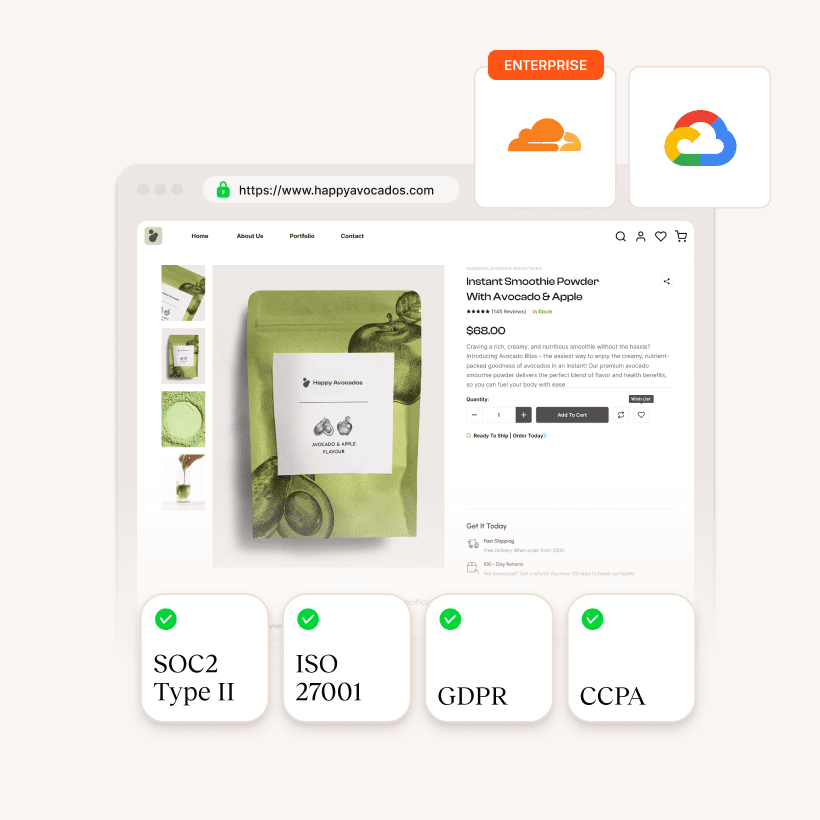
Certifications and protections depend on the provider’s infrastructure and configuration, and do not replace proper website security practices.
Development and Workflow Tools
Kinsta provides several tools aimed at developers and agencies who regularly modify websites.
Staging Environments
You can create a copy of your website to test changes before publishing them.
According to the provider, some plans also allow moving specific changes instead of replacing the entire site, which can be useful when updating design while keeping recent orders or content.
Built-in Performance Monitoring
Kinsta includes an application monitoring feature that helps identify slow plugins or database queries.
The exact level of detail depends on configuration and usage.
Local Development (DevKinsta)
Kinsta offers a local development application that allows building a website offline and then transferring it to a staging environment for review before going live.
Optional Advanced Testing Environment
An upgraded staging environment is available for resource-intensive testing.
Availability and specifications depend on the selected plan.
Management is handled through a custom dashboard rather than a traditional hosting panel.
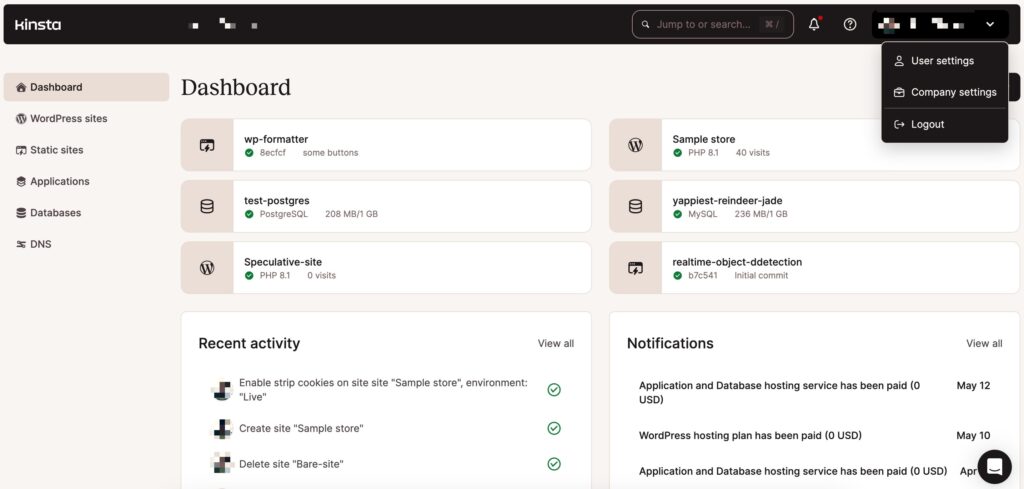
Interfaces and available tools may vary depending on the plan and environment.
Migration and Backup Features
Kinsta offers managed website migration assistance on eligible plans, where the transfer is handled by the provider rather than requiring a self-service plugin.
Downtime during migration depends on the site structure and DNS timing, but the process is designed to minimize interruption.
The platform also includes automated backups with a retention period depending on the plan, allowing restoration to a previous version if needed.
Based on official provider terms
Kinsta Review Cons: Potential Limitations and Cost Considerations
The following points describe situations where the service may not suit every project.
Pricing and Resource Limits
Kinsta targets the higher end of the managed WordPress hosting market, which means pricing may be above entry-level alternatives.
Starting Cost
The entry plan begins around the mid-range managed hosting price bracket.
Actual cost varies depending on billing cycle and selected options.
Traffic Limits
Plans include a monthly usage allowance. If the limit is exceeded, additional usage charges may apply based on the provider’s current pricing terms.
The financial impact depends on how predictable your traffic is — stable websites may rarely exceed limits, while sudden spikes can increase monthly cost.
Billing Models
Some plans allow different usage measurement methods (such as traffic or bandwidth-based accounting).
The practical effect is to provide flexibility depending on the site’s traffic patterns rather than guaranteeing lower cost.
Resource Scaling Options
Some websites require additional processing capacity during busy periods.
Kinsta provides optional performance upgrades that allow increasing available resources without changing the entire hosting plan.
These adjustments are configured from the hosting dashboard and may help during temporary traffic peaks such as promotional events.
The practical benefit depends on the website structure and workload rather than guaranteeing performance improvements.
Platform Limitations and Compatibility
To maintain a managed environment, some traditional hosting features are not included:
External Email Required
Email hosting is not provided within the platform, so a separate email service is needed.
Plugin Restrictions
Certain plugins may be limited due to compatibility or platform configuration.
The exact list can change over time, and some commonly used optimization tools may already be integrated into the hosting setup.
No Root Access
Because the service is fully managed, direct server-level access is not available.
This can limit advanced customization that depends on manual server configuration.
📹 Kinsta Review: Infrastructure Check & Video Review
Video Perspective
The following video presents an independent review from another creator discussing their experience with the service.
It reflects the reviewer’s testing conditions and opinions and should not be considered universal performance results.
Notes From the Video
The reviewer reports loading speed measurements in their own test environment.
Actual performance can vary depending on theme, plugins, traffic location, and configuration.
The video attributes performance to infrastructure design, caching layers, and CDN integration as described by the provider.
Security features and support response times mentioned in the video represent the reviewer’s observations and the provider’s documentation, not guaranteed outcomes for every website.
Overall, the video characterizes the platform as suitable for users who prefer a managed environment rather than manual server configuration.
Always verify details on the official website
Final Verdict: Is Kinsta Worth the Premium Price?
The goal of this Kinsta Review is to help you understand suitability rather than recommend a universal choice.
Kinsta positions itself in the higher-priced segment of managed WordPress hosting and focuses on a standardized infrastructure and managed workflow.
For projects where stability, predictable maintenance, and reduced manual server management are priorities, the platform may be a suitable option.
For smaller sites or cost-sensitive projects, lower-priced hosting models may be more practical.
Rather than being universally better, the value depends on whether convenience and managed operation matter more than flexibility and budget.
Kinsta vs. The Competition Summary
The comparison table highlights the core trade-off when choosing Kinsta:
| Comparison Area | Kinsta | WP Engine | Cloudways |
|---|---|---|---|
| Infrastructure Approach | Standardized Google Cloud environment | Managed platform with bundled ecosystem | Flexible multi-cloud setup |
| Pricing Model | Higher entry cost with usage allowances | Tiered plans with defined limits | Resource-based pricing |
| Overage Structure | Additional charges may apply beyond limits | Additional charges may apply beyond limits | Usage-based scaling |
| Configuration Style | Managed and controlled environment | Managed proprietary stack | More manual flexibility |
Each provider follows a different philosophy.
Kinsta emphasizes a controlled, managed environment built on a single infrastructure layer.
WP Engine focuses on an integrated ecosystem, while Cloudways offers flexibility and lower entry cost with more configuration responsibility.
The practical choice depends on whether you prioritize managed convenience, bundled ecosystem tools, or infrastructure flexibility.
⭐Kinsta Review: Reader Guidance
May suit projects where:
- Websites are business-critical and managed maintenance is preferred over manual server administration
- Traffic levels are relatively stable and predictable
- Development tools and staging environments are part of the workflow
May be less suitable where:
- Keeping monthly cost low is the primary concern
- Built-in email hosting is required
- Full server control or custom server software is necessary
Choosing a hosting provider depends on budget, technical comfort level, and how much management you want the platform to handle rather than raw specifications alone.
See our hosting comparison article for broader context.
Pricing and refund terms are subject to the provider’s official policy.
Kinsta Review FAQ: Common Questions
This section complements the main Kinsta Review with quick answers.
Who is Kinsta typically used by?
Kinsta is commonly used for websites where managed maintenance and predictable configuration are preferred over manual server setup. Suitability depends on traffic patterns, budget, and technical requirements.
Does Kinsta include email hosting?
No. Email services are handled separately through external providers. The platform focuses on website hosting rather than bundled communication tools.
Why is the price higher than some alternatives?
The pricing reflects a managed hosting model that includes infrastructure, maintenance features, and support provided by the platform. Whether the cost is justified depends on how much management and convenience you need.
📂 Further Reading
The following links point to official Kinsta documentation and one external review for additional context.
Official Pages
- Managed WordPress Pricing
- SLA & Uptime Guarantee
- Documentation: PHP Performance Add-on
- CDN Feature Overview
- APM Tool Guide
- Changelog: Visit vs. Bandwidth Choice
- Docs: Overages
- Free Migrations
- Backup Docs
External Review
About This Kinsta Review
This article summarizes publicly available information and practical considerations to help readers understand when the service may or may not be suitable.
Kinsta Managed WordPress Hosting

A premium managed WordPress hosting platform built exclusively on Google Cloud infrastructure for verified high capability.
Product Brand: Kinsta
Product Currency: USD
Product Price: 35
Price Valid Until: 2026-12-31
Product In-Stock: InStock
4.8